Task manager
A simple task manager for iPhone, iPad and Mac
Add tasks to your Inbox, assign them to a project and choose when to do them. The Today view shows your daily tasks, with upcoming work nearby.
App Store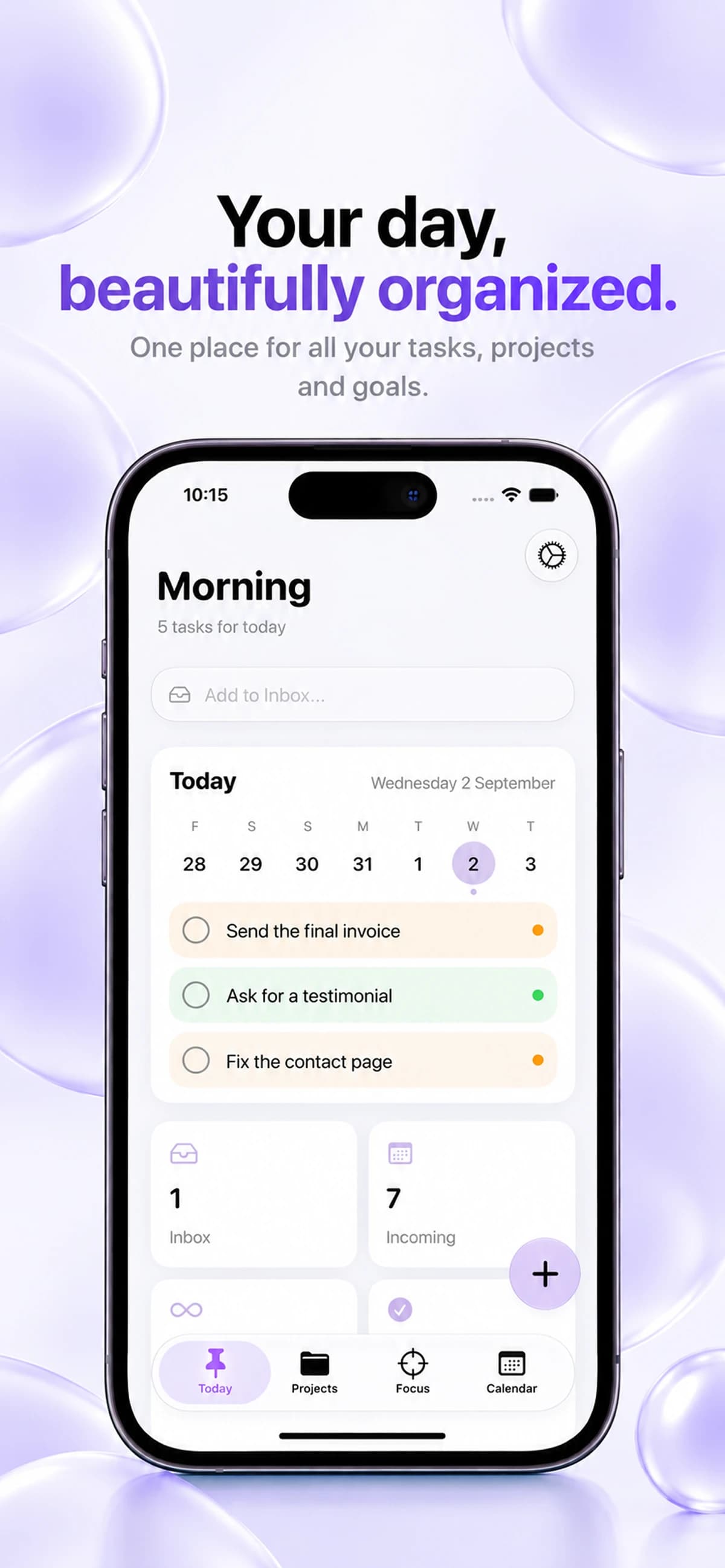
Give every thought a place
Capture a task when it comes to mind. Your Inbox gives you a place to collect work before deciding when to do it or which project it belongs to.
Choose what matters today
Review your daily tasks and priorities together. Give your day a realistic scope instead of treating every item on your list as equally urgent.
Keep the next steps connected
A task can belong to a larger project. Use projects to give your daily work context, and the calendar to review upcoming due dates.
Before you start
- Which devices can run Keepio?
- Keepio is available on iPhone, iPad and Mac. On iPhone, it requires iOS 26 or later. Check the App Store for iPad and Mac requirements. Apple Intelligence features require a compatible device. An Android version is coming soon.
- What can I do offline?
- Projects, tasks and subtasks, notes, tags, templates, saved resources, the internal calendar and Pomodoro remain usable offline. Your data is stored on your device. Syncing between devices, sending feedback and opening external content that has not loaded yet require a connection.
- How does iCloud sync work?
- Sync happens automatically when you are signed in to iCloud and Keepio is allowed to use it. Your tasks, projects and notes are stored locally and synchronized through your private iCloud between devices using the same Apple Account. There is no iCloud sync switch inside Keepio. The Keepio team cannot access your private iCloud content.