Focus statistics
Understand where your focus time goes
Review your recorded focus time, completed sessions and recent activity. Use the history to see how much time you have spent on your projects.
App Store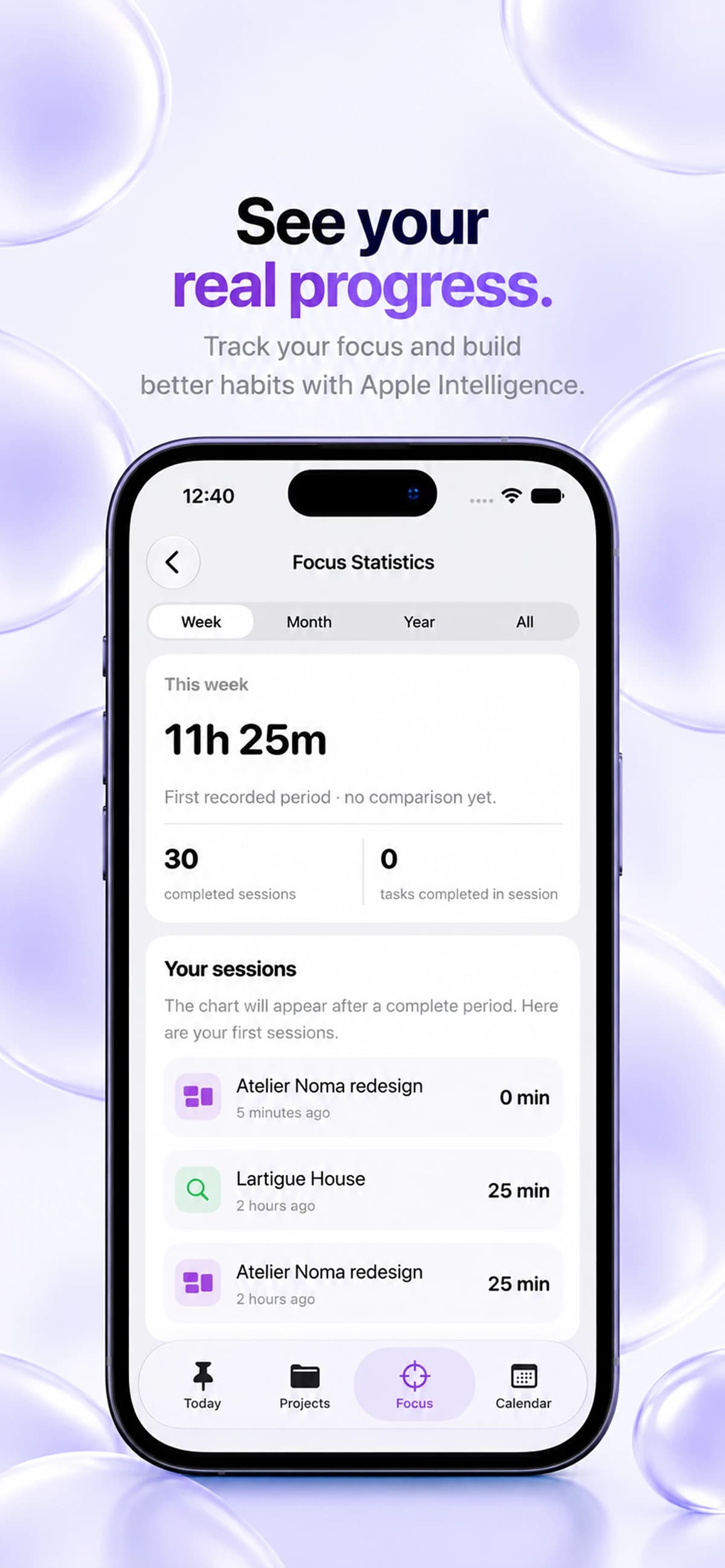
See the time you put in
Keepio includes Pomodoro focus sessions and focus statistics. Tracked focus time gives you a record of your sessions, alongside the tasks and projects you manage.
Look for patterns
Review completed sessions and recent focus activity. Compare your routine with the time you intended to set aside, and notice where your plans need more room.
Plan with more context
Session history is useful context for future planning, not a score for your day. Use it to choose a realistic amount of focused work for your next project.
Before you start
- Which devices can run Keepio?
- Keepio is available on iPhone, iPad and Mac. On iPhone, it requires iOS 26 or later. Check the App Store for iPad and Mac requirements. Apple Intelligence features require a compatible device. An Android version is coming soon.
- What can I do offline?
- Projects, tasks and subtasks, notes, tags, templates, saved resources, the internal calendar and Pomodoro remain usable offline. Your data is stored on your device. Syncing between devices, sending feedback and opening external content that has not loaded yet require a connection.
- How does iCloud sync work?
- Sync happens automatically when you are signed in to iCloud and Keepio is allowed to use it. Your tasks, projects and notes are stored locally and synchronized through your private iCloud between devices using the same Apple Account. There is no iCloud sync switch inside Keepio. The Keepio team cannot access your private iCloud content.