Organization
Plan your day without juggling apps
Your daily plan does not have to include every possible task. It needs to connect what is coming up with what you can realistically do next. A small, repeatable review is a good place to start.
Example: prepare tomorrow before closing Keepio
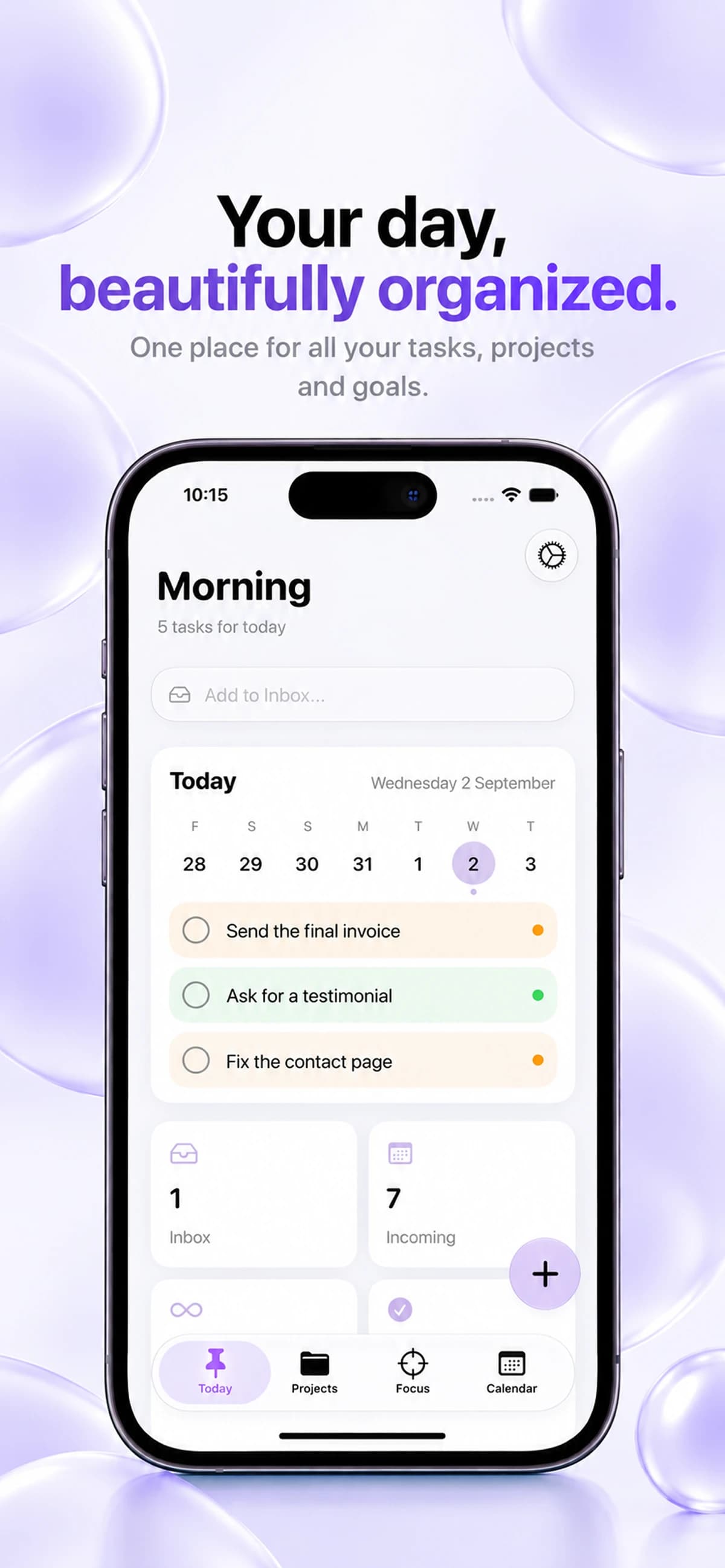
Suppose you need to send an invoice, request client feedback and correct a contact page. Put each action in its own task so you can plan them separately.
- Capture “Send the final invoice” and “Request client feedback” in your Inbox. Attach a task to its project when you know where it belongs.
- Check the calendar for existing deadlines. Date the invoice task for the day it needs to be sent, then choose when to handle the other two actions.
- Open Today the next morning to review the dated tasks. Complete the invoice first, then check off the task and move to the next action.
Collect first, decide second
Begin by collecting loose tasks. That might be a reminder from yesterday, a note from a meeting or an idea you do not want to lose. Put it somewhere you will review instead of interrupting the rest of your planning.
Keepio’s Inbox holds tasks before you decide where they belong. If you prefer to write the task in your own words, the New Task / Analyze flow uses Apple Intelligence to help turn natural-language input into a structured task.
Check the calendar before filling the day
Review your upcoming tasks and project deadlines. Then consider how much attention the day can hold. A busy schedule calls for a smaller task list, even if the project itself is important.
Give dated work a place in the calendar, and use project notes for context that is useful but is not an action. This keeps the daily list focused on things you can actually do.
Choose a meaningful first action
Select a task that moves an important project forward. Make it concrete enough to start without another round of planning. If you are hesitating, the task may need to be broken down further.
Keepio brings Today, projects, calendar planning and Pomodoro focus sessions into one workspace. Move from reviewing the day to starting a session when you have chosen what to work on.
Leave tomorrow an easy starting point
Before finishing, check what was completed and what still needs attention. Move unfinished work thoughtfully instead of assuming it all belongs tomorrow.
Review focus activity if it helps you estimate future work. Then leave one clear next action in the relevant project. Tomorrow’s plan can begin with context rather than a blank page.